Rithmic Trade Copier – Setup and User Guide
The Trade Copier in R|Trader Pro allows traders to replicate orders from one primary account (master) into one or multiple secondary accounts (slave). This ensures consistency and efficiency when trading across multiple evaluation or funded accounts.
Step-by-Step Configuration
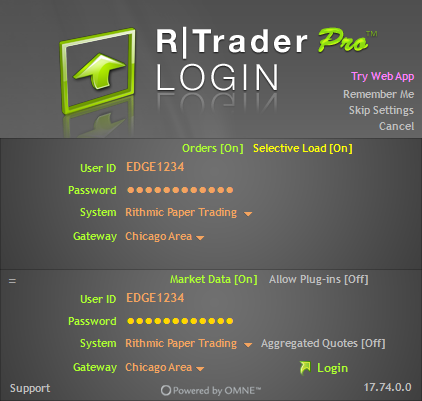
1. Log in to R|Trader Pro
Launch the application, enter your User ID and Password, select Rithmic Paper Trading (or Live if applicable), choose a Gateway (e.g., Chicago Area), and click Login.
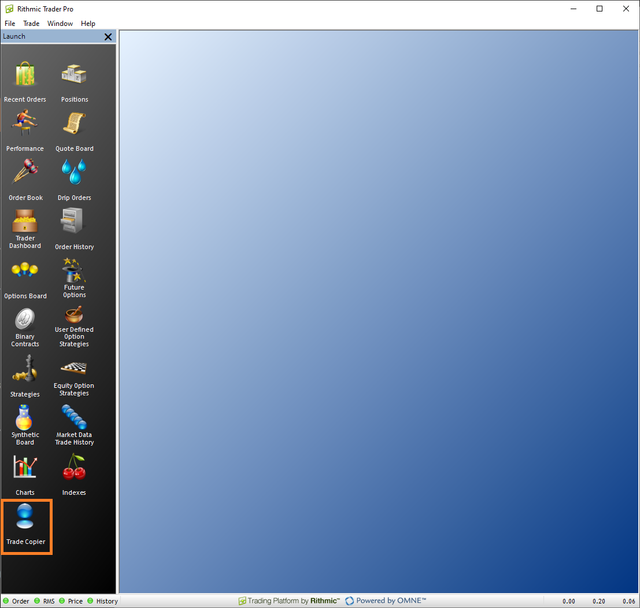
2. Access the Trade Copier
Once logged in, use the left-hand control panel. Scroll down and click on Trade Copier to open the configuration interface.
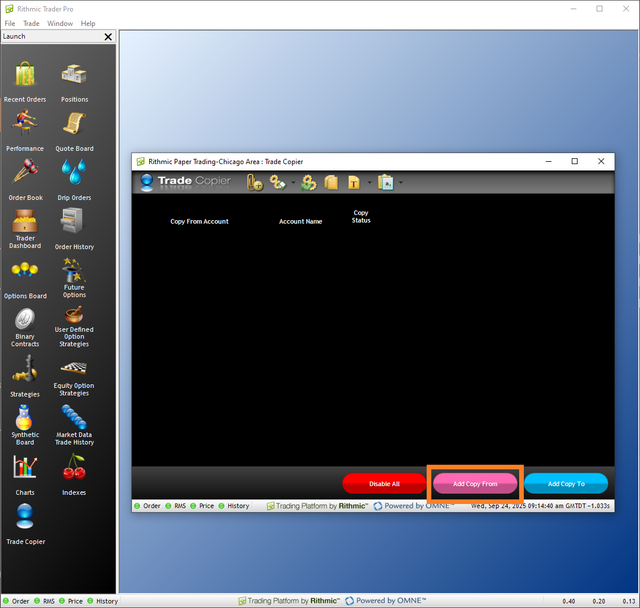
3. Define the Master Account (Copy From)
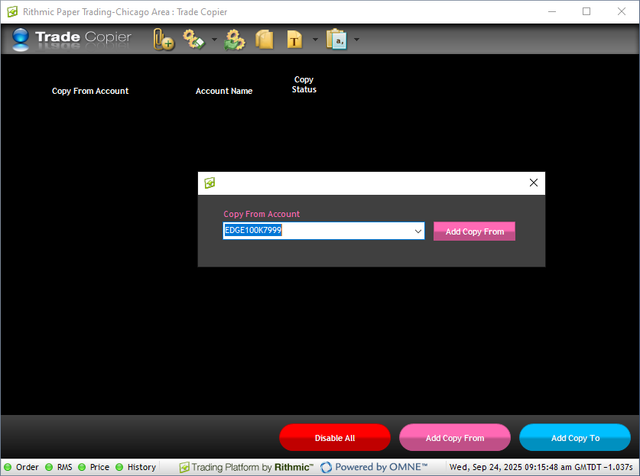
In the Trade Copier window, click the Add Copy From button (pink). A selection dialog will appear. Choose the account you want to use as the master (source account) and confirm with Add Copy From.
4. Add Secondary Accounts (Copy To)
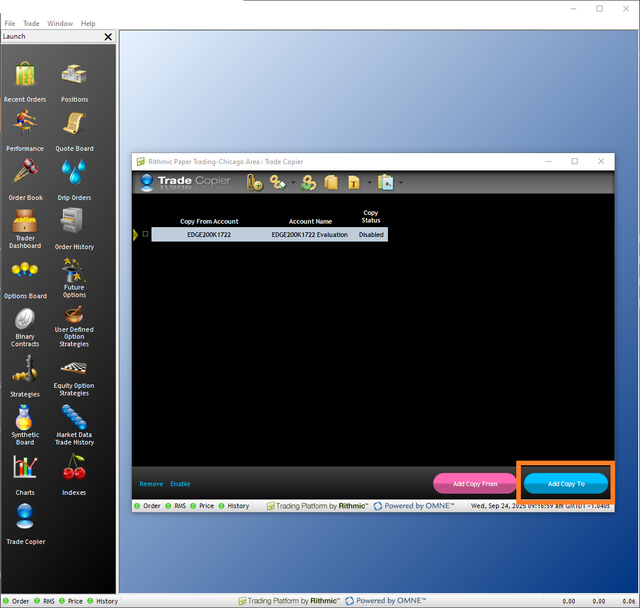
After defining the master account, click Add Copy To (blue button). A window will display all available accounts. Select one or more slave accounts and confirm by clicking Add Copy To.

5. Review and Adjust Settings
Once accounts are linked, the panel will show key parameters:
- Copy From Account – master account
- Copy To Account(s) – slave accounts
- Quantity Multiplier – adjusts contract size per account
- Fractional Quantity Rounding – handles non-integer sizes
- Convert to Market – optional setting for order conversion
- Copy Status – indicates Disabled or Enabled
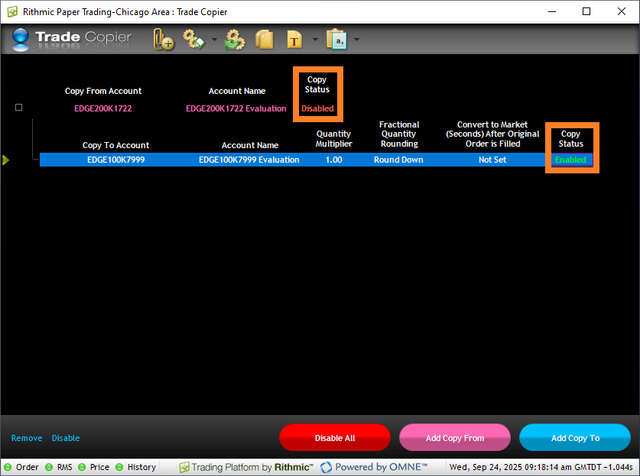
Initially, the copier will show as Disabled.
6. Enable Trade Copier
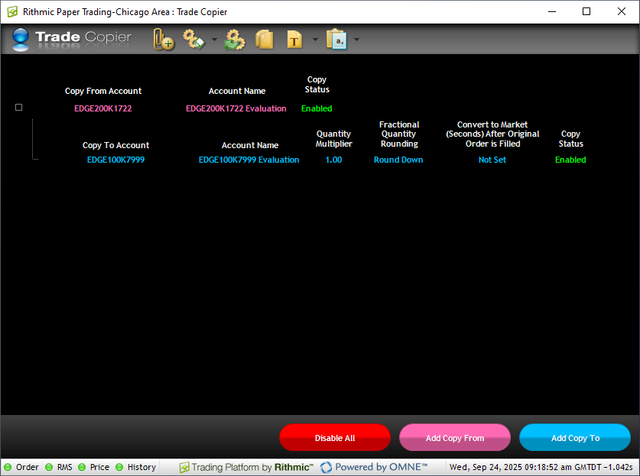
Select the setup row and click Enable. The Copy Status will update to Enabled. From this moment, all trades executed in the master account will automatically replicate into the designated slave accounts.
- Ensure all accounts are logged in and active before enabling the copier.
- Use Quantity Multiplier to adjust position size distribution across accounts.
- If Copy Status remains disabled, no trades will be mirrored.
- To stop mirroring, click Disable All at any time.
- Always monitor trade replication in the Recent Orders window to confirm executions.
✅ Setup Complete
The Trade Copier is now fully configured. All trades executed in your master account will be mirrored automatically across your selected accounts, ensuring consistent performance and execution across your portfolio.
100% of readers found this helpful (1/1)