ATAS Connection Guide (Rithmic via EdgeProp)
This guide explains how to connect the ATAS trading platform to your Rithmic data feed using EdgeProp credentials. Please ensure R|Trader Pro is installed and running in the background.
1. Download Required Applications
- R|Trader Pro – required for Rithmic data feed
- ATAS Platform – professional order flow and volume analysis software
Install both applications before proceeding. Make sure .NET Framework is updated on your system.
2. Log in to ATAS
Launch ATAS and log in using the ATAS credentials received via email (not your Rithmic login).
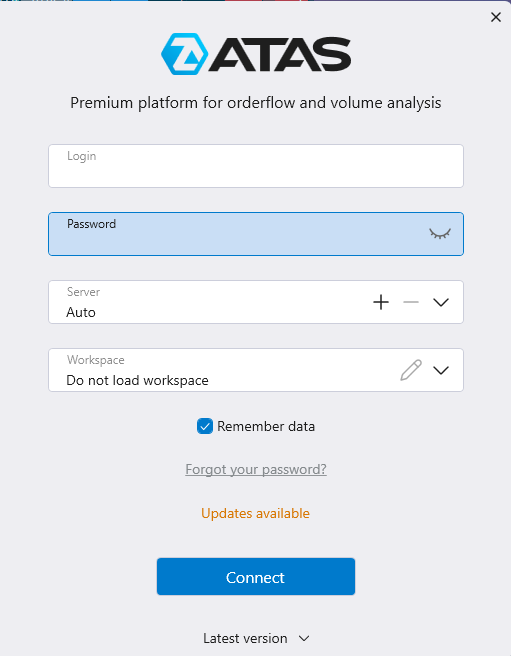
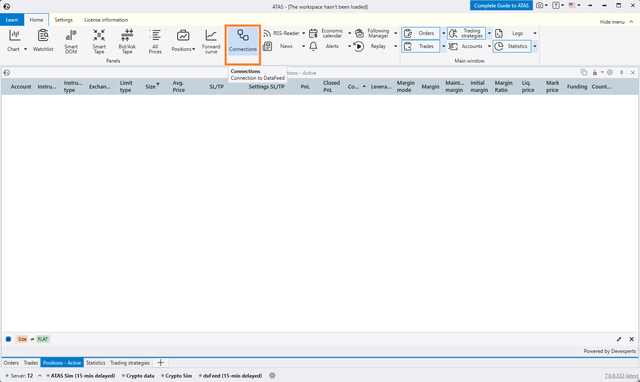
3. Open the Connections Menu
From the main ATAS dashboard, click the Connections button in the top navigation menu.
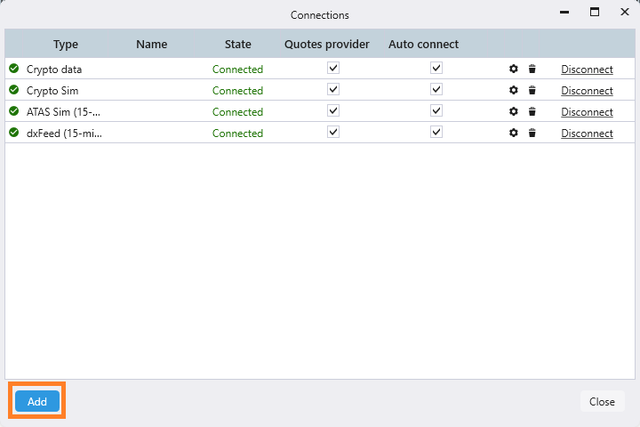
4. Add a New Connection
In the Connections window, click Add to create a new connection.
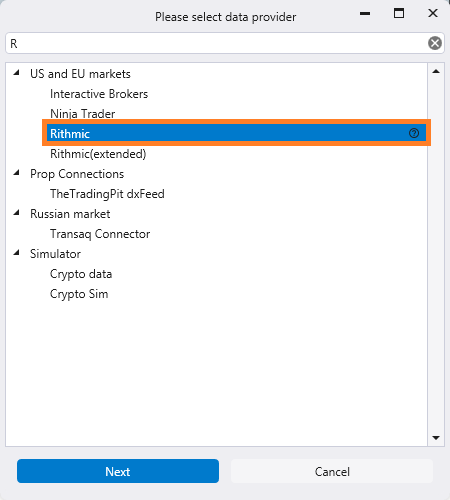
5. Select Rithmic as Data Provider
From the list of providers, select Rithmic and click Next.
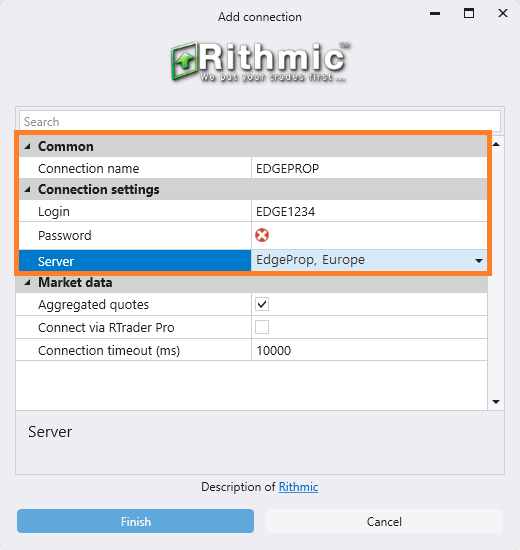
6. Enter EdgeProp Rithmic Credentials
Configure the connection by filling in the following details:
- Connection name: e.g. EDGEPROP
- Login: Your EdgeProp Rithmic User ID (e.g. EDGE1234)
- Password: Your EdgeProp Rithmic Password
- Server: Select EdgeProp, Europe (or the correct server for your region)
Make sure Connect via RTrader Pro is checked if you want ATAS to use R|Trader Pro as the plug-in data feed.
7. Finalize the Connection
Click Finish to save. In the Connections window, click Connect. Once the status shows Connected, ATAS is linked with your EdgeProp Rithmic account.
- Start R|Trader Pro before connecting ATAS.
- Ensure Allow Plug-ins is enabled in the R|Trader Pro login window.
- If the connection fails, check your login, password, and server selection.
- Evaluation accounts can use the free ATAS license.
✅ Connection Complete
You are now successfully connected to ATAS using your EdgeProp Rithmic account. Orders placed in ATAS will route through the Rithmic connection established with R|Trader Pro.